
All AI Servers
Scalable AI server platforms for modern workloads
All Multi-node Servers
Maximize compute density for modern data centers.
All General Purpose Servers
Modular enterprise platforms for cloud infrastructure
General Purpose >> EIA Servers
More
All Storage Servers
High-capacity storage for data-intensive workloads
All Motherboards
Form-factor flexibility for system integration
All AMD
AMD platforms for AI and modern data centers
All Intel
Reliable and scalable enterprise server platforms
Rack-scale Solutions
View DetailLiquid Cooling
View DetailDiamond Cooling
View DetailCanonical Ubuntu
View DetailIndustry Applications
View DetailAMD Instinct™ GPU Validated Systems
View DetailMiTAC NVIDIA® Qualified Systems
View Detail
All Resources
Insights & Stories
Media & Catalogs
Technical Documentation
Popular Search

Rack-scale Solutions
View DetailLiquid Cooling
View DetailDiamond Cooling
View DetailCanonical Ubuntu
View DetailIndustry Applications
View DetailAMD Instinct™ GPU Validated Systems
View DetailMiTAC NVIDIA® Qualified Systems
View Detail
- By Category
All AI Servers
Scalable AI server platforms for modern workloads
AI >> OAI Servers
MoreAI >> PCIe GPU Servers
More
All Multi-node Servers
Maximize compute density for modern data centers.
Multi-node >> EIA Servers
MoreMulti-node >> OCP Servers
More
All General Purpose Servers
Modular enterprise platforms for cloud infrastructure
General Purpose >> EIA Servers
More
All Storage Servers
High-capacity storage for data-intensive workloads
Storage >> EIA Servers
MoreStorage >> OCP Servers
More
All Motherboards
Form-factor flexibility for system integration
- By CPU Platform
All AMD
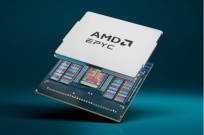
AMD platforms for AI and modern data centers
AMD EPYC™ 9005
MoreAMD EPYC™ 9005/9004
MoreAMD EPYC™ 9004
MoreAMD EPYC™ 8005/8004
MoreAMD EPYC™ 4005/4004
More
AMD EPYC™ 9005
AMD EPYC™ 8005
AMD EPYC™ 4005
All Intel
Reliable and scalable enterprise server platforms
Intel® Xeon® 6
More5th / 4th Gen Intel® Xeon® Scalable
More
Intel® Xeon® 6
5th Gen Intel® Xeon® Scalable
- News & Events
- News
- Events
- Insights & Stories
- Success Stories
- Technical Insights
- Media Reviews
- Media & Catalogs
- Catalogs
- Technical Documentation
- White Paper
- Data Sheets
- User Guides
Intel® Rapid Storage Technology Driver Installation Software with Intel® Optane™ Memory (10th and 11th Gen Platforms)
A newer version of this software is available, which includes functional and security updates. Customers should click here to update to the latest version.
File: SetupRST.exe
Date: 2023-04-14
Version: 18.7.6.1010.3
OS: Microsoft Windows*, Windows 11 Family*, Windows 10X family*
Size: 14.4 MB
Date: 2023-04-14
Version: 18.7.6.1010.3
OS: Microsoft Windows*, Windows 11 Family*, Windows 10X family*
Size: 14.4 MB
SHA1: 894240F599E3C53068748D68F61445538D9410AB
Introduction
The Intel® Rapid Storage Technology (Intel® RST) Driver (18.7.6.1010.3) supports the configuration and enabling of multiple features.Detailed Description
Note: Intel recommends that end users utilize driver updates provided by their system manufacturer/provider or via Windows* Update to eliminate the potential impact caused by loading non-customized drivers. System manufacturers regularly customize Intel generic drivers to meet the needs of their specific system design. In such cases, use of the Intel generic driver update is not recommended.
The SetupRST.exe is the new installer that will install the Intel RST driver and start the process of installing the Intel® Optane™ Memory and Storage Management application from the Microsoft Store*
PurposeThe Intel® Rapid Storage Technology (Intel® RST) Driver 18.7.6.1010.3 supports the configuration and enabling of multiple features including:
- System acceleration with Intel® Optane™ memory
- Configuration and maintenance of RAID 0/1/5/10
- Intel® VMD support on 11th Gen platforms (See more details here)
https://www.intel.com/content/www/us/en/support/articles/000057787/memory-and-storage/intel-optane-memory.html
Notes
- Support for Microsoft Windows* 11 x64 OS
- The Intel® Rapid Storage Technology (Intel® RST) Driver 18.7.6.1010.3 supports 10th Gen and 11th Gen Intel Core platforms.
- See the Release Notes or Readme files for installation instructions, supported hardware, what is new, bug fixes, and known issues.
- For RST File Extraction (.zip file creation), refer to section 6.3 of the Readme file: Pre-Installation of Intel® RST driver using the Load Driver method.
- Additional assistance can be found here:
- RAID related support: Intel® Rapid Storage Technology Support page
https://www.intel.com/content/www/us/en/support/products/55005/technologies/intel-rapid-storage-technology-intel-rst.html - Intel® Optane™ Memory User and Installation Guide
https://www.intel.com/content/www/us/en/support/articles/000023989/memory-and-storage/intel-optane-memory.html - Intel® Optane™ memory-related support: Intel® Optane™ Memory support
https://www.intel.com/content/www/us/en/support/products/35125/memory-and-storage.html#99745
SUBSCRIBE NOW to get the latest news.
Thank you for your subscription.
Existed email or invalid e-mail!
Successful unsubscription.
Email doesn't exist.